
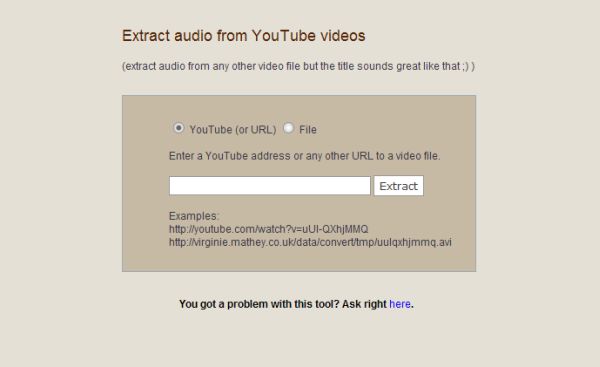
I located an online tool that will allow you to extract the audio from any video file. You can provide the link to an online video, including YouTube, and the utility will create an mp3 of the audio. You can also upload your own video file. I’m not sure what the size limit is but when I tried to create an mp3 from a video file larger than 8 minutes or 4 MB the tool stopped working. Once the mp3 has been created, you can right click on the link, Select Save Link As and save to your PC.
I created the following mp3’s using this utility. Feel free to download them.
- Bill O’Reilly F*ck It, I’ll Do It Live Remix (obviously this contains obscene language) – YouTube Video
- John Cusack Ad for Move On – YouTube Video
- Reverend Wright’s Chickens – YouTube Video
- Doctor Who Promo for The Poison Sky – YouTube Video

Hmm…I dunno why, but whenver I input the Youtube URL to convert to mp3, it NEVER coverts, just takes to a blank page and NOTHING. I dunno the MB size, but I DO know that the video I’m attempting to rip the mp3 from is LESS than 8 minutes. Why is this?
Oh, I’m also using Windows Vista Home Premium and Internet Explorer (whatever version comes with Vista). Help is much appreciated, I tried all the other Youtube-to-mp3 sites (i.e. Vixy, listentoyoutube, YouConvertIt) but they NEVER work. In fact YCI said they’d email me when the conversion is done, and it’s been over an hour since I posted the video to convert, so that doesn’t work, and neither do Vixy ro LTYT cause the resulting mp3 file ends up being LESS time than the actual Youtube video (i.e. somethign that was 1:15 in the video is 0:28 on the mp3). I am at the end of my resources and REALLY need help.
Hi Alexandra,
I was using Windows XP and Firefox 2 or 3 when I used the converter. I don’t think the OS and browser are the problem but it’s possible.
I haven’t tested this software yet but there is a free program that will convert a youtube video to mp3. It’s available at http://www.dvdvideosoft.com/guides/dvd/convert-YouTube-to-MP3.htm
Let me know if it works out for you.
Good luck.
It works perfectly, thanks. I really appreciate it.
Great! I’ll do a write about it soon. Sometimes a software solution is better than an online one as the website tool could always stop working or disappear.
How is the sound quality of the mp3 after conversion? I know the mp3 format can be hit or miss anyways, but I can’t imagine you would be getting great sound quality after the conversion.
Hi Richard,
I would not use this for a song but I think that’s what a lot of people are using it for. As you can see from my examples, I use it to extract parts of speeches or funny catch phrases. They work great for ringtones.
So, as I have not actually converted a song with this tool, I can’t really say what the quality is but I can’t imagine that it’s very good.
When I want download video from youtube or convert in other files I use
http://www.freefileconvert.comt and
http://www.convertvideotoaudio.com
The sites are fast and simple to use
Hi Salvio – Thanks for the info. This article is about 1.5 years old now so I’m sure there are more ways to do it then there was at the time.
You can download YouTube videos as MP3, AVI, Windows Media Video (WMA) and many others.
Just use http://benderconverter.com. It very helpful!
Hi Valdis – Thanks for the info.