
Recently two different people asked me why they couldn’t view their Facebook page when logged out of Facebook.
Since more than one asked, I’m going to assume others need the answer to the same question.
And for once, a Facebook problem has a very simple solution … I know, that is very rare!
The Fix
- Go to your page.
- Click on the Edit Page button on the top right.
- Click on Manage Permissions.
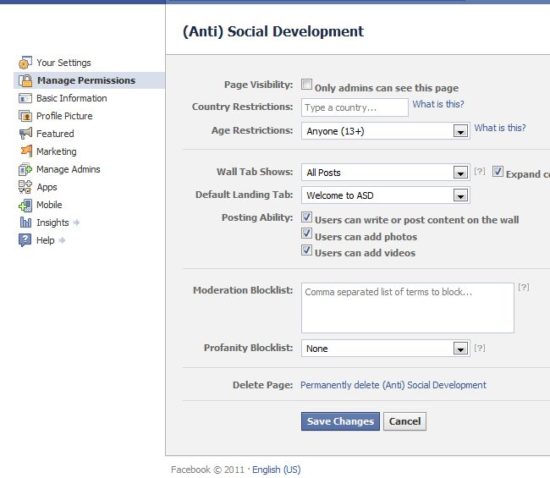
- Check the Age Restrictions field. If it is set to anything other than Anyone 13+, the page will not be visible when you are logged out of Facebook.
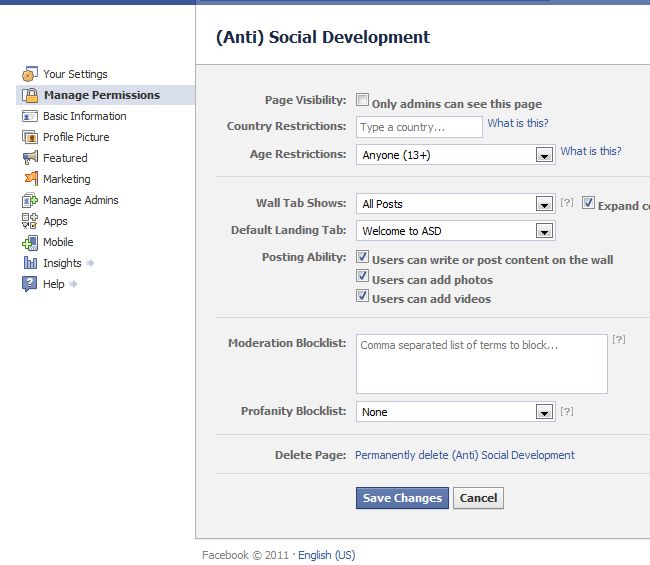
Of course, if your page contains Adult Only material, than you won’t be able to change the Age Restrictions but for most pages 13+ is just fine.
Have you ever run into this issue?

Bless your heart! You just saved me hours of grief…
Great! That can be a hard one to resolve if you don’t know what is causing it.
Unfortunately I’m having this problem and the age restriction setting on the Fan page was and is correct and I’m still having the problem. This only started happening a week ago. Previous, we’ve had a link to our Fan Page from our web site and there was never any problem. Any other suggestions?
Found it! You also have to make sure you have no restrictions on the country. Some one had changed ours to the U.S. only so naturally we had to sign in so it knew what country we were in. Thanks for this article… it got us fixed with a little tweaking!
Thanks for the update! That’s good to know.
Thank you for this answer! I had no idea the Country Restrictions or Age Restrictions would make the page hidden from people not logged in. It makes sense, but wouldn’t have thought.
Thanks again.
The detail about specifying a country was the issue that was blocking our Facebook page from being viewed.
THANK YOU to Kim and Roxanne for the help!
Our age and country restrictions are ok, we still have the same problem. Anyone have some other ideas ?