
Today, Lifehacker has a post called the Top 10 Command Line Tools. I’m sure most people are thinking, “Command Line? Who uses the Command Line? That’s for old people and went out with DOS.” There are, however, still some really useful reasons for using the command line and it shouldn’t be written off as old and unnecessary.
MAC and Linux users have great command line terminals integrated into the operating system. Windows users can use the Command Prompt or can install Cygwin for Unix emulation. Lifehacker also has information about installing Cygwin.
In Windows the Command Prompt is located at Start > Programs > Accessories and looks like the following:
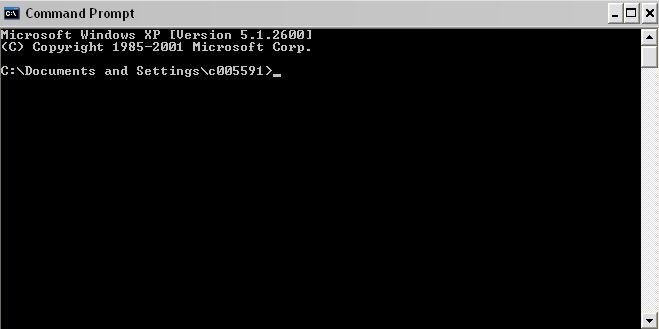
A useful command is tracert, which will trace the path of computers between your computer and the site that you are trying to reach. At the prompt type tracert and the name of the site . For example:
tracert wikipedia.org
Recently, even though I had internet access, I could not access two sites that I frequently visit; Wikipedia and MobyGames. I went to Down for Everyone of Just Me and discovered that the sites were not down. Being curious, I started to wonder why these two sites were inaccessible. So, I opened the command prompt and typed in tracert mobygames.com and then did the same for Wikipedia.
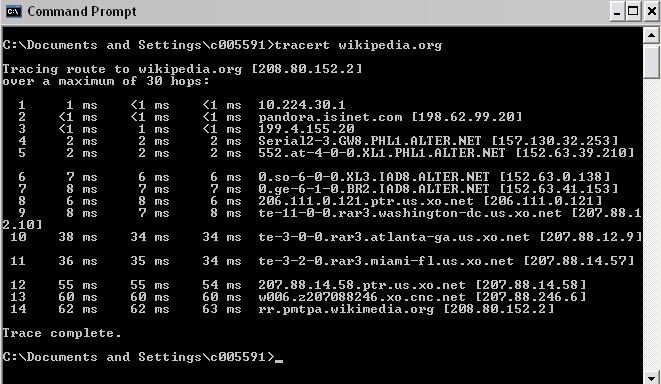
I found that both traces were not being completed and that the trace was timing out on a particular IP address. Unfortunately, Windows does not included Whois as a command so I had to go to a website to find out who owned the IP addresses. I would not have had to leave the command line to do this using a MAC or Linux. A Whois search can be done at Whois by IP. Type in the IP and you will be shown a page like the following. This example is the Whois page for Wikipedia.org
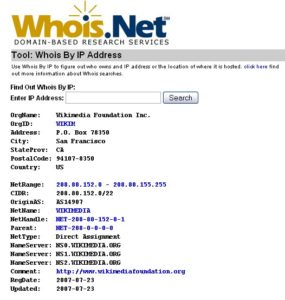
So, when I couldn’t access two specific sites I typed in the IP address where the trace was stopping on this Whois page and found that the IP address belonged to Verizon and was a data center in Virginia. Since Verizon is my ISP, this made sense. Just to verify and continue being a nerd, I called Verizon and asked if there was a problem in the VA data center and they verified that there was and they were working to correct the problem. Instead of going online or posting on Twitter, “OMG – I can’t access Wikipedia!” I was able to calmly utilize tools available on my computer and online to logically determine the source of the problem. Since I enjoy solving puzzles and problems, I derived a lot of satisfaction from figuring this out.
This is just one of many examples of how the command line is still an extremely useful tool.

Great post! I grew up using a GUI for nearly everything, so it was intimidating when I switched to Linux exclusively last year. I have found, as you demonstrated above, that the command line can offer much more power and control over a task or application than a GUI ever could. It is well worth the learning curve.