
My Timelines allows you to create an Ajax based interactive timeline, from almost any RSS feed, that can be embedded on your website.
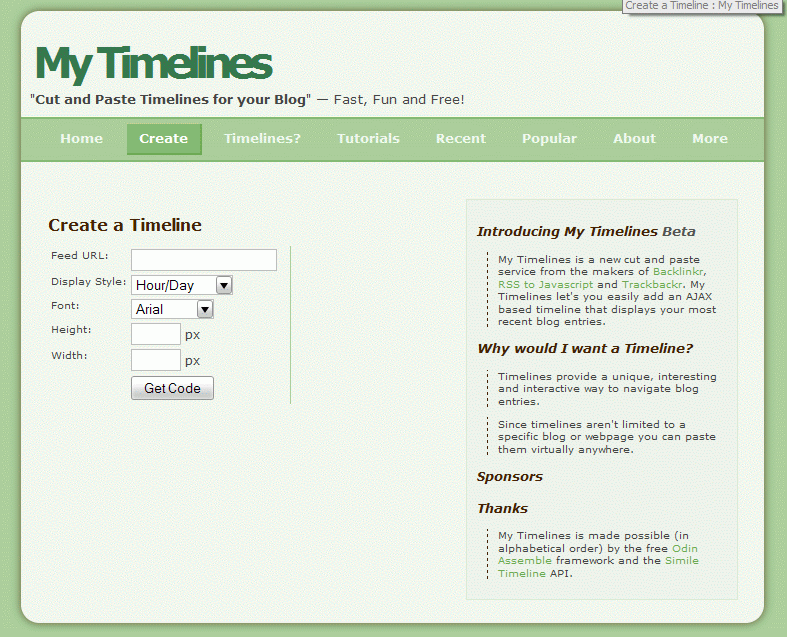
- Input the RSS feed
- Set the display style, font, width and height
- Click on the Get Code. You will see a preview of your timeline so changes can be made before copying the code.
- There are two pieces of code. The first needs to go into the header of your html code. Basically this means anywhere before the
tag. - The second piece of code goes where you want the timeline to be displayed
- The timeline can be moved right and left by click holding and dragging.
**Update 8/21/08 – My timeline is currently offline. I was having an issue with the javascript slowing down my site. Hopefully, I will bring it back soon.
Powered by My Timelines
This timeline was created from the RSS feed from my videogame tumblr, From the Hip. Each item can be clicked and a mini pop-up box will provide more information about the entry. If you would like to view the full posting, image, or video, each pop-up box provides a link to the full entry.
A timeline could also be effectively used with the RSS feed from your own website. It would provide a visual representation of posting frequency and topics discussed.
