

7/1/09 – Please note that this add-on is not yet compatible with Firefox 3.5, which was released yesterday.
Sometimes people complain that comments aren’t included in their feed reader. I’ve often wondered how hard it is to click from the feed reader to the actual article, but maybe those extra clicks use up a lot of time. I know that if an article in my feed reader really interests me, I WANT to visit the site to read it.
There is a solution to this, however, if you use Firefox and Google Reader. There is a great Firefox add-on that will add comments and tweets to the posts in Google Reader.
gReactions is an experimental Firefox add-on that will integrate comments with Google Reader.
Install the add-on like any other and then restart Firefox. When you open Google Reader you should see the following at the bottom of each item.

Click on Show comments to see the comments for that article.
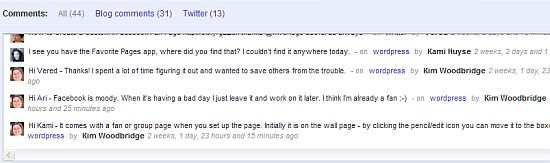
You can select View All, Comments, or Twitter.
I’ve found it to be small and a little hard to read. If I want to read and comment on the article, I click over to the site anyway but it is kind of cool to see the comments right in the feed reader.
As with other experimental add-ons, this one can be a little buggy. Sometimes I get a no comments found message even for articles that I know have comments. It hasn’t affected the Google reader in any negative way though.
So what do you think? Useful? Would you use something like this? Do you even use your feed reader anymore? ;-)

Excellent find Ms. Kim! To me, the comments are important and can be extremely entertaining and informative. I would use something like this for sites with 100s of comments like ZDNet, CNET, etc.
As to using my reader? Not nearly as much as I used to these days. Twitter seems to handle that pretty well for me at the moment.
Rick Castellini´s last blog post – Creating an email group in Gmail – Video Tip
Hi Rick – I did find out that this doesn’t currently work with Firefox 3.5
Hopefully it will be updated soon.
I don’t use my reader as much either.
Darn it. Will keep an eye on it. How are you liking FF 3.5? I’m finding it quick and stable. I have a dual screen setup and do my Gmail, calendar, docs in Chrome on one screen, and browse the web in FF on the other screen.
Rick Castellini´s last blog post – Email of the Week – 009
It’s fine – I’m not noticing much a difference actually. I suppose if I start playing with HTML 5 I’ll like it better. I was completely confused about the clearing cache feature being under Clear Recent History. Browser history has meant something completely different to me for quite some time.
And it hasn’t crashed at all – but then I very rarely have problems with FF.
Great add on to have.
Thanks for the info.
Nihar´s last blog post – Download Kaspersky Internet Security 2010 Trial
Hi Nihar – It can be useful but it’s a little buggy too.
There is one big restriction here. That the owner of the blog has not messed up his RSS settings i.e. redirect ALL his feed requests to FeedBurner. In that case there is not much you can do… I know this because of BloggerBuddy and do you remember the article with the complain about this? ;)
stratosg´s last blog post – Lines from “Whose Line”
Hi Stratos – I sort of remember it – I’ll have to look it up. This is far from a perfect plugin but could also be very useful. One problem I have with it is how small the comments and tweets section is – my poor old eyes ;-)
I no longer worry about finding this kind of thing, because I know you will! I think this would be useful. I don’t use Twitter any more. I really wish I could read a post, read the comments, and add a comment, all within Google Reader, without having to click out to the blog site each time. This solves one of those issues.
Dot´s last blog post – My Mother Has Passed
Hi Dot – Thanks! You can’t add a comment from it and it’s buggy but it’s still a cool add-on. It isn’t currently available with Firefox 3.5, which was released yesterday.
A while back I installed a greasemonkey script called GPE that enables you to view the actual article in a frame within your Google Reader. It was AWESOME. That way, I could view the article, comments etc. directly from my reader without having to open another window or tab- and it also counted as a pageview on the site. Anyway, it stopped working, either when Google changed the reader or with FF updates, and I’m sad. Especially now that you’ve crushed my dream of ever finding a Reader add-on that works. Aargh.
Adrenalynn´s last blog post – It’s going to be a great summer. Because I said so.
Hi Adrenalynn – That sounds like a good one!! I love greasemonkey scripts – I have flickr so customized with scripts that I forget that the features I have aren’t available to everyone. It’s too bad that the script stopped working – maybe the author will update it.
Ooh! I got it to work! … Or rather, I found a code update that makes GPE work with the new version of Google Reader. Here you go! http://userscripts.org/topics/18585
:)
Hi Jason – Great! Thanks for letting me know about update.
i like clicking over to the site myself. after all, what’s one more click, i’m on the web for goodness sakes. that’s all i do is click. hehehe.
Natural´s last blog post – Why Wait, Buy Now!
Hi Valerie – Sometimes when I’m really tired I just sit here and mindlessly click around the internet and the same things I’ve been looking at all day. I try to stop the clicking and actually get up and go to bed or something ;-)