

Last Winter I wrote an article on how to add a share button to your Facebook fan page.
I have since learned that you can make any image or link a share button and this same code can be used on a Facebook fan page and your website.
And once again, when you know the code, it is super easy to implement.
The code looks like the following:
http://www.facebook.com/sharer.php?u=<url to share>
&t=<title of content>link or image</a>
- url to share – the site that you want to share to Facebook
- title of content – the name of what you are sharing
If I wanted to share my Facebook fan page with a custom image, I would use the following code.
<a href="http://www.facebook.com/sharer.php?u=http://facebook.com/
Anti.Social.Development&t=(Anti) Social Development" target="_blank">
<img src="https://www.kimwoodbridge.com/asdface.jpg" /></a>
And it would look like this.

If you click on the image, a new window will open where you can share my Facebook fan page.
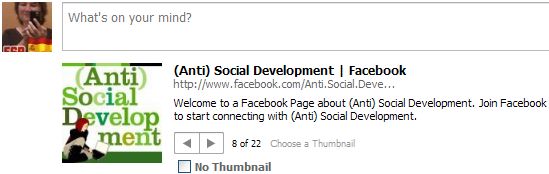
This is a great alternative to the default Facebook share button. The important thing, however, is to make sure that the image or link text makes it clear that by clicking on it you will be sharing something on Facebook.
photo credit: Wondermonkey2k

I haven’t been as active on Facebook as I used to be. Your posts keep reminding me to log into my account. :)
.-= vered – blogger for hire´s last blog ..Be Kind To Your Behind =-.
Hi Vered,
LOL – My reminders for you to login to Facebook ;-)
Thanks for the share I liked it
.-= Chethan´s last blog ..Google News is now Integrated with FastFlip =-.
Hi Chethan – Thanks!
Tweeting!
.-= Dennis Edell | Direct Sales Marketing´s last blog ..Would You Like a PRIVATE Community =-.
Thanks Dennis
i’ve search this trick and think of how hard it will be.. but now, you provide it with super easy step!! bravo, thx a lot friend
.-= rainer´s last blog ..Windows 7 God Mode =-.
Hi – Glad it will help. For some reason, I thought it would be a lot more complicated.
Do you know if adding the share button that way you’ve described, with only the anchor tag, is any different than the way described on facebook which is to include the javascript tag:
with the anchor tag?
Hi – With this method you can use a custom link or image. You can also use it on a facebook page – javascript doesn’t usually work there.
Curious about your experience with the FB-provided “Share” with a counter snippet – oftentimes the box with share count will simply not load on page load.
I really like having this on my wife’s page, but it makes the look too inconsistent when it only loads the “Share” button and not the “# of shares” part.
Have you had similar experience with this?
I wonder if there’s some sort of conflict with other FB Javascript we have for the “activity box”?
http://www.codenamemama.com
I would love to “roll my own” image AND still get the counter to work. I wonder if that’s even possible.
.-= CodeNamePapa´s last blog ..codenamepapa- @CodeNameMama what- 2300 for a new A-C and 600 for some drywall-paint-stuff Chump change! er- uh- I mean Trump change – =-.
Hi – I have had that happen. I think it’s a result of their being problems with Facebook’s API and the data is unable to load. I don’t think it’s a conflict with something else on my page.
Hi
how can i make the facebook share button for example below; i want this share button where in the share_url=”http://www.kimwoodbridge.com/” to have a javascript so it can fetch the name information from the current logged in user of facebook.
i guess it should be looking something like this.
share_url=”http://www.kimwoodbridge.com/?ref=x”
where x is the fetched name information from facebook.so after fetching the name it should look something like this.
share_url=”http://www.kimwoodbridge.com//?ref=AntiSocialDepartment” then only the share dialog box comes out.
can this be done? thanking in advance
Share
Unfortunately, if that can be done, I don’t know how to do it.
thank you for your reply.. :)
Thanks Kim for the trick..
I am looking similarly for a like url… can u help me out in it…
This is what I have come close to.. keeping ur ex… but seems not so perfect..
Hi Ajmal – As far as I know, like does not work the same way – you can’t change the image. I think Facebook wants to standardize the like button so people know what it is.
PLEASE REPLY TO THIS POST INSTEAD. I DIDN’T CHECK THEH NOTIFY ME BUTTON BEFORE I POSTED IT. THANKS.
i can’t get the “t” parameter to work in the share_url. everytime it just loads my top level domain’s page title instead of the page title that i clicked the share button on. that’s obviously what they created the t and u parameters for, but i can’t the t to work no matter what i do.
any help would be greatly appreciated
Hi Josh – I’m not sure why the t parameter isn’t loading the correct title.
You might want to check the documentation here
http://developers.facebook.com/docs/share
josh…did you see that facebook scrapes the title from the page it is adding. you have no control over it, so you don’t have to worry about the t attribute.
hope that helps mate
yeah i saw where you posted that, but that’s not what the facebook development page says. the t and u parameters are still used. i currently use a third party facebook share link that does what i want it to do, but the official facebook share link doesn’t accept the t and u parameters that i give to it. at best, i’m just a little confused by it all. thanks for your help Bup
Awesome post, but the t parameter does count anymore. FaceBook scrapes the site of the URL in the u parameter for the title. You can not change it. The user/visitor has the option to change it when they are redirected to facebook, but you as the developer can not.
totally lame…i know, but that’s the thing about using someone else’s sandbox…sometimes they horde all the toys to themselves.
Thanks for the info. I wish Facebook would make their documentation current.
Hello there ~ Thankyou for your code.
I just wonder is it possible to have our custom Logo and custom button at the same time. I have read the other post you have written about custom Logo but that one is using facebook button instead.
This code should do that. Is it showing the share button instead of the logo? Sometimes you have to play around with the size of the logo to
get it to display properly.
Hi ,this work good .but how to set at the CODE to use for default my picture that will appears at the wall.
Becouse now i share URL and the share windows show me 5 images to show , but that image that i want to be is 4th image , i want to be set firts or to be that image for default.
Hi Simeon – This article might help
http://www.kimwoodbridge.com/how-to-add-a-facebook-share-button-with-a-custom-logo/
thanks but this not help me
im FBML i use this :
all is good but the image that appear as image of the sharring sotry is not that i want to be ( this give me option to chouse of 5 images and the image that i want to use is at 3th plase ,i want it to be firs )
If a default image isn’t set, then I believe Facebook selects the images in the order that they appear. If you want the third image to be first, it should be the first image in the article.
Thank you for your help on this Kim. This is a very helpful article. Do you know if it’s possible to share on Twitter out of a facebook fan page? If so that’d be worth a post too.
Hi – That’s a good question – most share on Twitter apps use javascript, which Facebook doesn’t allow. If I come across something I’ll definitely write about it.
Hi ,
Thanks for such a nice and informative post.
My Question is this.
Is it possible , when a user click on the image, it will automatically like by that user, if he/she is already login, I mean without promoting the like page or sharing page?
Thanks
I’m not 100% clear on what you are asking. Facebook share has changed and Facebook is trying to get everyone to change to the Like button so it doesn’t work the way it used to.
Hi,
Its very good post.
May I know how to customize the link,
like http://m.sixflagsjobs.com/jobdescription.html?did=J8E1JW6VM347121HHV8
every job has different did, I want customize based on DID and Job tiltle
Welcome your response
Hi,
Thanks a lot for super cool solution, i appreciate your efforts.
Can you help me for #2 stated below.
Case 1:
If the page with URL http://myapp/view-topic.aspx?tid=12 has Facebook share button and on that page sharer will work properly.
Case 2:
However if the page with URL http://myapp/view-topic?tid=12 (CMS based site with no page extensions like .aspx or .html)
Has Facebook share button then it simply gives message “could not post to wall” on Share click.
Can anybody help me in #2 how to achieve this?
Thanking you in anticipation
Hi – I’m not sure why that is happening. The URL I use doesn’t have a file extension because I am using WordPress. Something else must be causing the problem.
Hi, I’m trying this one with “&t=” but it does not seem to be working.
function fb() {
window.open(
‘http://www.facebook.com/share.php?u=’ + url + ‘&t=My Itinerary’,
‘Facebook’,
‘left=20,top=20,width=500,height=500,toolbar=1,resizable=0’);
}
“My Itinerary” only shows in the url and not in the shared link part.
Thanks!
Hi Elal – Share doesn’t work the way that it used to as Facebook is phasing it out. The title part doesn’t work in my code anymore either.
Hi Kim,
it may very well be that i am doing something wrong, but I’m trying to use text links ( not a FB Share icon ) in a WordPress post that will share the post on a person’s Facebook page.
and if possible, have the featured image be the image that appears on Facebook when someone clicks the link to share the post
i’ve tried the text above and its not working. is there something particular about the HTML post editor ?
thanks! eric.
Facebook share is being phased out so it’s very possible that you are doing things correctly and that it won’t work. Unfortunately, I’m not sure about the answer to your question.