

When you create a Facebook Developers account and a new iframe application for a custom tab, you are the admin of that application. If the application is for your own page, this isn’t an issue. But, what if you are creating the application for a client? Do they want you to be the admin / owner of the application once the work is complete? Maybe. But leaving control of the application to an outside consultant can potentially lead to problems later.
For example, the Admin has the ability to completely delete the application. They could also post a different page than the one originally created, if they felt the need to be malicious.
I know the people I work with trust me because many of them leave me as admins on their pages even after the work has been completed and even after I recommend to them that they remove my access. Or maybe they don’t trust me and they just aren’t bothering to take the precaution.
Well, you can transfer Admin rights for the application. Here’s how you do it.
The Instructions
- Go to the Facebook Developers page.
- Click on My Apps.
- Locate the app that you want to edit, if you have more than one, and select it.
- Click on Edit Settings.
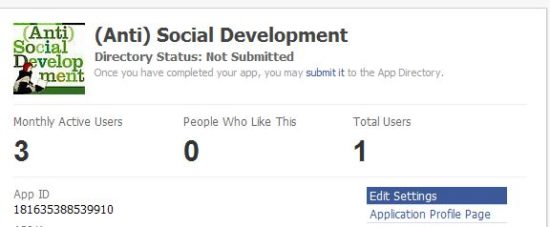
- On the About Tab there is a section near the bottom called Manage Users.
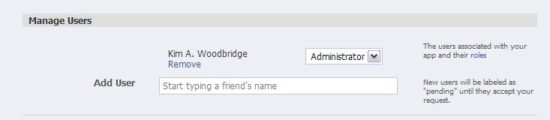
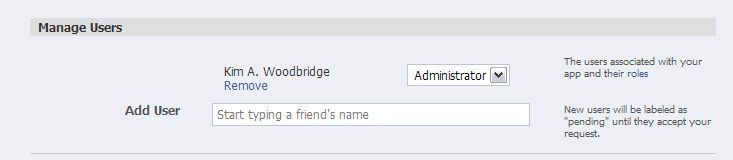
- You can change the role of the user, remove a user, and a new user.
- Obviously, if you are the only user, you don’t want to change your level of access or remove yourself. Then no one will have access to the application.
- A new user can be added by typing in a friend’s name into the Add User field. One thing I don’t like about this is that you can only add a friend. I am not usually facebook friends with my clients so in order to add them as a new user to the application, I would have to become friends first. It would be better of you can add a user via an email address.
- Another bad feature is that as soon as you select a name, a request is sent without any further approval on your part. When I was first testing this, I selected the wrong name and sent a pending request to someone who has nothing to do with creating Facebook apps. That was fun.
- The new user will be considered pending until she accepts the request.
- Once the new user is added, you can be removed as the Admin of the application.
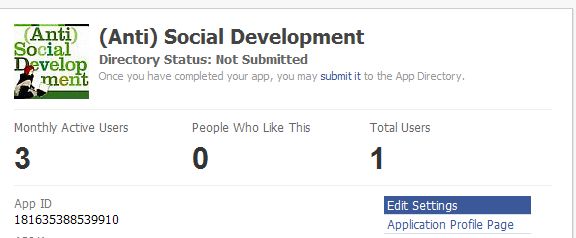
As with many features on Facebook, this doesn’t work quite the way we would like it to but at least administration of the application can be transferred to another user.
photo credit: Abi Skipp

Hi Kim,
I didn’t face this issue yet but after reading your post I’m prepared in advance for such a situation. Good post and thanks for sharing it so deeply.
I hope it helps.